New U.S. DMSP Templates on the Horizon

I’ve been writing about data management plans (DMPs) for over a decade on this blog and, while sometimes it feels like I’ve already discussed this topic plenty, the universe decided to throw a curve ball and make me write about DMPs even more. Though it is more accurate to say that the U.S. government is the one throwing the curve balls at the moment.

The U.S. National Science Foundation (NSF) is implementing a new Data Management and Sharing Plan (DMSP) template on April 27, and the U.S. National Institutes of Health (NIH) will implement their new DMSP template on May 25. Both agencies are shifting away from a 2-page narrative DMP and toward DMSPs with rigid check-box/drop-down answers for a handful of questions. There will be space for a couple free-text descriptions, but otherwise, the two templates are a dramatic shift from how U.S. agencies have handled data management plans for the previous decade.

On one hand, I love the shift toward more structured DMSPs. There has been a significant amount of work done in the community over the past few years to develop machine-actionable DMPs – the idea being that machine-actionable DMPs can easily connect what’s promised with the outputs of the grant. And it looks like the new, more structured DMSPs will allow the agencies to more easily check compliance. Given the benefits of data management and sharing, I’m not against making compliance easier for everyone.

I have several concerns about the new DMSP templates, however. Due to cuts at the NSF and NIH, the roll out of the new templates has been rushed. The NSF, in particular, only provided screenshots of the new NSF DMSP template one week before the template is being required; we have to wait until the day that the templates are required to see the full templates. The lack of information about the new templates has made it particularly difficult for specialists like me to prepare researchers for meeting the new requirements.

The rush has also set best practices back. Most egregious is the guidance, shared alongside the screenshots of the new NSF template, that states that “Note that sharing through institutional resources (e.g., lab webpages) can be denoted as ‘Institutional Repository’”. The data management and sharing community has spent well over a decade trying to stop researchers from putting their data on a lab website and the 2022 Nelson memo explicitly says that research data should be shared in a data repository. The NSF’s current guidance, as quoted, is problematic and goes against all current recommended practices. This is one example of several where the new templates have not been clear or have been counter to current expected practices.

Another concern about the new DMSPs is that they are so stripped down that they have taken what is already a bureaucratic hurdle and made it into a check box. The point of writing a DMP is to help researchers think about and improve their data management sharing practices. The new paired-down templates don’t really do that. That said, a DMSP written for a grant application probably won’t ever be as beneficial as writing a living DMP, so I will continue to advocate for researchers to write living DMPs.

It’s too early to tell how the roll out of the new DMSPs templates will go for two of the biggest funding agencies of academic research in the United States. It’s going to be disruptive for a lot of people but it’s not clear yet if the templates will be a change for the better. In the meantime, I guess it helps with job security, knowing that I’m needed to help guide people through this process.

Posted in dataManagementPlans | Leave a comment

The Year I Appeared in Nature

I’ve been working as a librarian for over a decade. But for some reason, this is the year I’ve been discovered by journalists. I have appeared in Nature three times this academic year. The three articles include:

Wild, S. (2025) Need to update your data? Follow these five tips. Nature 643, 868-869.

Briney regularly helps researchers to wrangle their data. Her favourite tips for data management are to establish a file naming convention, which includes the date (often given as YYYYMMDD or YYYY-MM-DD), and to store files in their correct folders.

Dance, A. (2026) Why every scientist needs a librarian. Nature 650, 1063-1065.

Librarians like to say that an hour in the library is worth a month in the laboratory, quips Kristin Briney, biology and biological engineering librarian at the California Institute of Technology (Caltech) in Pasadena, California. And the Caltech library team points out that a researcher could avoid hours of solo Internet searching by just sending a quick e-mail to a specialist librarian to get the same results.

Wild, S. (2026) Drowning in data sets? Here’s how to cut them down to size. Nature 651, 1121-1122.

“This is a problem that libraries have been dealing with for as long as libraries have existed,” says Kristin Briney, a librarian at the California Institute of Technology (Caltech) in Pasadena. “We cannot physically collect all the books that we want to collect, and in 50 years, the book may not be useful any more.”

Data sets, she says, are the same. “There has to be some curation that determines what is worth keeping and what is worth throwing away.”

While I’m honored to share my voice among the many others that appear in these articles, mostly I’m excited to see Nature covering topics around data and librarianship. I hope that you check the articles out and enjoy the work of these amazing science journalists.

Posted in admin, dataManagement | Leave a comment

Rethinking TXT Files

I’ve been doing a lot of research into accessibility recently, specifically thinking about how to make research data files more accessible. There is a lot of existing content about the accessibility of common file types used in business (e.g. Word, PowerPoint, Excel, etc.), but only a little content specific to the accessibility of research data. Part of the issue is that a lot of our guidance around research data focuses on reusability and computability – guidance that sometimes conflicts with accessibility principles.

All of this has me thinking about the humble TXT file. Data management and sharing experts commonly recommend writing README.txt files to accompany shared data files (I myself have given this guidance many, many times). The TXT file type is recommended because it’s a simple file type that can be opened by many software programs, including the command line, making it so users don’t need special proprietary software to read these files. TXT files come up a lot for open documentation and often for data files themselves, especially when doing text analysis.

The problem with TXT files, however, is that they are not very accessible. There is zero extra formatting in a TXT file, meaning there is zero formatting for accessibility in a TXT file. Features that make text files more accessible include headings, hyperlinks, bullet points, etc.. TXT files don’t support these, let alone allow for content like images and tables. Unless the TXT file is very short, it’s going to be challenging to make a TXT document that is maximally accessible for a disabled user to navigate and read (that’s not to say someone using a screen reader can’t read a TXT file; rather, it will be inefficient to navigate).

The TXT’s role in documentation is even more concerning when considering recent research on data reuse by Koesten, et al. This group found that highly reused datasets on GitHub had more words, more headers, and more links in their README documentation files than less reused GitHub datasets. This is a correlation, not causation, but it makes sense that longer documentation makes for easier data reuse. My concern is that these helpful extras – like headers, links, and tables – are not supported by TXT files.

So where does that leave us? Microsoft Word has a ton of accessibility features, to the point where it’s the recommended file format in the U.S. government’s text document accessibility tutorial. But Word is a proprietary format owned by Microsoft. It’s now a bit easier to open and edit such files due to Google Docs, but using a proprietary file type for important data and documentation still raises concerns for me around reusability and computability.

Other alternatives for text-based document types are PDF and LaTeX (which can be converted into PDF). However, PDFs are notoriously difficult to make accessible; you need knowledge of how to make PDFs accessible and you have to use the paid version of Adobe Acrobat to edit the accessibility settings. LaTeX has some support for accessibility, but LaTeX accessibility is a currently developing area and, again, requires a lot of knowledge of how to do.

I’m personally very interested in Markdown (MD or RMD) for filling this documentation accessibility/reusability gap. In fact, Koesten’s research (cited earlier) looked at datasets on GitHub, which uses Markdown as the default file format for README documentation files. Markdown is an open text format that supports formatting like headings, hyperlinks, bullet points, etc.. Markdown does this by using special characters to signify where formatting should be applied to specific text. This does have a learning curve, but it’s not as challenging to learn as LaTeX. Markdown also requires tools to convert the marked up text into HTML, PDF, Word, etc., which means Markdown integration into other systems may be a limiting factor for the general population’s adoption of this file format.

I’m not sure I have a clear answer to the challenge posed in this post. The bigger issue is that we must start considering accessibility in our default guidance for data management and sharing. And by considering accessibility, it will start to change our default guidance, hopefully for something better. As for text files and documentation, I think Markdown can fill an important gap for accessible and reusable text, but I also recognize that many researchers don’t have the knowledge and infrastructure to make this switch at the present time.

What are your thoughts about the humble TXT file?

Posted in accessibility, documentation | 1 Comment

Using Persistent Identifiers as Documentation

I recently attended an RDAP webinar about data sharing for physical samples. While the requirement to share this type of data is not universal, it is increasingly popping up in public access policies. Economically and scientifically, it makes sense to share samples, such as core samples taken from under a sea bed, that can cost thousands or tens of thousands of dollars to acquire. One of the things that struck me during this webinar was that the presenters were working as part of a larger team to build infrastructure for consistently identifying such samples using persistent identifiers (PIDs).

There is a larger movement in the research support ecosystem to create PID systems and to assign research products and components their own unique IDs. In fact, an often overlooked part of the U.S. funding agencies’ push for public access (stemming from the Nelson memo) is that these agencies are required adopt persistent identifiers. As a researcher, you are probably familiar with DOI’s and ORCID’s, though PIDs extend beyond these two systems.

All of this has me thinking about how PIDs occupy an important niche in documentation for data sharing. PIDs are a form of documentation, because they link a unique identifier with a list of information (metadata) about a particular thing. When you share the identifier with someone, you are actually sharing a lot of information about that specific thing and helping to distinguish it from related items.

There are a lot of PIDs that are relevant to data. That said, not every data sharing system has all of these PIDs integrated. So what should you do about PIDs as a researcher? Definitely share PIDs when you are asked for them. And if there’s no form field for a specific PID, you can always add it to your README.txt file.

This post reviews the PIDs that I think are most relevant to data sharing. Identifiers are listed from the most established to the least. There’s a lot of active work going on in the last two-to-three areas, so keep an eye open for these types of PIDs!

Identifying shared digital data

Just like we use DOIs for articles, DOIs are also becoming the go-to for identifying datasets. DOIs are extra special because we can use them like URLs to actively find something on the internet, but they are a whole lot more stable than URLs which can move over time.

DOIs are not the only PID used to identify shared data. There’s also: ARK, Handle, PURL, and others. In the absence of any of these, you can also use an accession number in a database to help identify your data. What matters most is that there is a unique ID of some sort for your shared digital data.

Identifying people

ORCID is the preferred system for uniquely identifying researchers. Individual researchers can create profiles in ORCID that list their publications and grants. Because ORCID is so well integrated into other scholarly systems, publishers can push new publications onto a researcher’s ORCID profile and other systems can pull from ORCID to populate bibliographies. If you don’t have an ORCID as a researcher, you need to get one!

There are actually several other systems for identifying researchers, but they are typically limited to identifiers used in article databases such as: Scopus, Web of Science, Google Scholar, PubMed, and ArXiv. It can be useful to officially claim these IDs, if only to ensure that your publication list in that database is complete and correct.

Identifying institutions

Data sharing systems are actively working to integrate the ROR identifier into infrastructure. RORs help identify institutions, such as funding agencies and universities, and publishing systems seem to have coalesce around ROR as the PID of choice for this. Using a ROR makes it easier to do things like search for all data generated by a specific university (a question that I’m definitely interested in). ROR operates behind the scenes, so it’s less important to know your institution’s ROR and more important to select your institution from a default list, when available.

Identifying materials and equipment

Identifiers for research materials and equipment is an area of active development with several projects going on. The biggest of which is currently RRID, which combines several existing ID systems (for antibodies, plasmids, instruments, etc.) under one umbrella. There are also curated disciplinary resources that do work in this area, a good example of which is the Alliance of Genome Resources (with its child resources such as Flybase, Wormbase, etc.). Larger infrastructure is still in development, but if you have the opportunity to use identifiers that are consistent with a discipline-specific resource, definitely do so!

Identifying shared physical samples

This brings me back to IDs for physical samples. Honestly, this system is still in development so there is no clear winner for how to assign IDs and located physical samples. I’m personally going to be looking into work done by ESIP, specifically their guides on Publishing Open Earth Science Samples and Publishing Open Research Using Physical Samples.

Posted in documentation, openData | Leave a comment

2025 Wrap Up

We’ve thankfully reached the end of 2025. It’s been a rollercoaster of a year, with lots of ups and downs both personally and professionally. On the professional side, I’ve had some really solid highlights, so it seems fitting to review them in a blog post.

Publications

I had a very good publication year. My third book came out in December:

I also published two articles: a bibliography of data management books for researchers (a list that I recently made out of date); and an article about developing the exercises in my new book.

And I almost forgot about the book chapter that came out this year (books take forever between the writing and publication):

Public Access

I spent a good part of 2025, and plan to spend a good part of 2026, supporting the new public access policies from US funding agencies. As a librarian, it’s been incredibly frustrating to be caught between funder requirements for public access and publisher open access policies that often conflict. I think that most people agree that the current scholarly publishing industry is too expensive and isn’t working, but it’s really messy to be working in this area as we try to transition to something better. For everyone’s sake, I hope 2026 is easier in this area.

ASL

I’m currently 80% done with a certificate in American Sign Language (ASL); I have to take one more class this spring, ASL 4, in order to finish. I think it’s a great idea for someone in public service to know how to communicate with Deaf patrons, which is why I’m taking advantage of my university’s tuition assistance to work on this certificate. I don’t think I’ll ever be fluent in ASL, but I’m definitely more comfortable communicating in this language and have enjoyed learning about Deaf culture.

Looking Forward

I’m ended 2025 with some good news: I just signed a contract to write my fourth book. I’ve already drafted a few chapters and will share more information once I draft more. I can tell you it’s about data management and sharing, which is probably not a surprise.

I hope you have a restful holiday season and a wonderful 2026.

Posted in admin | Leave a comment

The Data Management Workbook

I am thrilled to share that my book, The Data Management Workbook, will be published next month on December 2, 2025 by Pelagic Publishing.

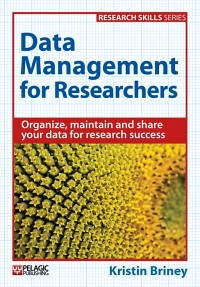
The Data Management Workbook is a collection of 24 hands-on exercises to help you improve your data management. For example, if you learned about the concept of file naming conventions in my first book, Data Management for Researchers, an exercise in the Workbook actually walks you through the steps to create a customized file naming convention for your research. The goal is for the book to help you implement data management strategies that fit your research workflows.

The Workbook is the traditionally published and updated version of educational resource, The Research Data Management Workbook, which I blogged about previously. Do note that the downloadable versions of the old version have gone away, though the online edition is still up. This published edition not only is updated and polished, but also contains six completely new exercises. I’m really pleased with the updated version of the Workbook and I enjoyed spending the extra time and effort to make the exercises that much better for everyone.

Do you want a copy of The Data Management Workbook? You can order the book from the publisher, Pelagic, or find it on Amazon. Or encourage your library to buy a copy, so multiple people can enjoy it.

I hope you enjoy this book and it helps you improve your data management!

Posted in admin, dataManagement | Leave a comment